Less Is More: How a Simpler Desktop Background Can Quietly Supercharge Your Focus
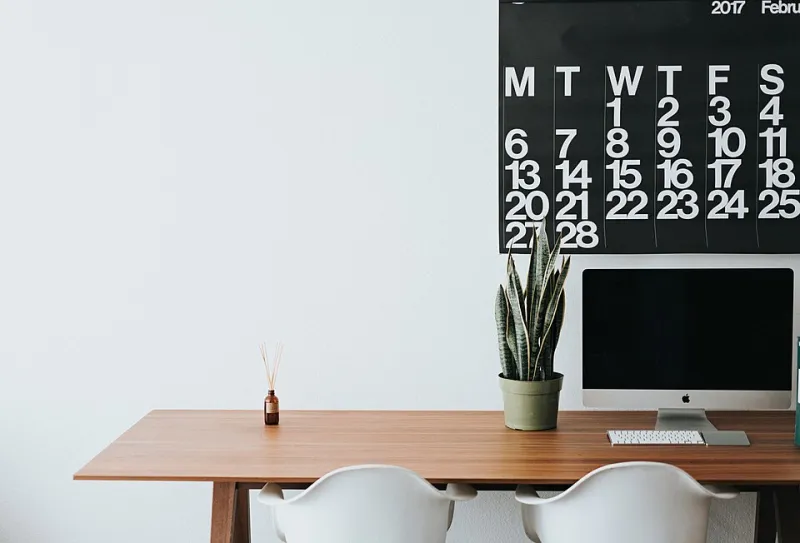
Photo: Roman Bozhko romanbozhko, CC0, via Wikimedia Commons
Let's be honest — we've all been there. You spend twenty minutes hunting for the perfect desktop wallpaper, land on something jaw-dropping (a neon-lit Tokyo skyline, maybe, or an insanely detailed fantasy illustration), and feel genuinely pleased with yourself. Then, three hours into your workday, you realize you've accomplished almost nothing and your eyes feel like sandpaper.
Coincidence? Probably not.
There's a growing body of research connecting visual complexity to cognitive load, and your desktop background sits right at the center of that conversation. At FindWallpaper, we spend a lot of time thinking about what makes a great background — not just visually, but functionally. And when it comes to productivity, the science is pretty clear: simpler almost always wins.
Your Brain on Busy Backgrounds
Here's the thing about human attention: it's not a limitless resource. Cognitive scientists call this concept "attentional capacity," and every visual stimulus your brain processes chips away at it — whether you're consciously aware of that processing or not.
When your desktop background is packed with intricate details, high-contrast colors, or complex patterns, your visual cortex keeps quietly working on it even while you're trying to focus on a spreadsheet or write an email. It's like trying to concentrate in a room where someone's having a loud conversation just out of earshot. You tune it out, sure — but it still costs you something.
Researchers at Princeton University found that visual clutter in the environment directly competes for neural resources, reducing the brain's ability to focus and process information efficiently. That study was about physical spaces, but the principle translates cleanly to digital environments. Your monitor is your workspace, and what's behind your windows and apps absolutely shapes how hard your brain has to work.
The Visual Hierarchy Problem
Designers talk a lot about visual hierarchy — the way our eyes naturally move through a composition based on contrast, scale, and color. A well-designed wallpaper can either support or fight against the visual hierarchy of your actual work.
Think about what you have open most of the day: browser tabs, documents, maybe Slack or Teams. These interfaces are already visually complex. When your background competes with them — same level of detail, similar color saturation — your eye has no clear anchor point. Everything feels equally important, which neurologically means nothing feels important.
A clean, low-contrast background acts like a visual stage. It gives your open applications room to breathe and tells your brain, "this is where the action is." Solid colors, soft gradients, and minimal abstract designs are particularly effective for this reason. They provide just enough visual interest to feel intentional without pulling focus.
Color Psychology: Choosing the Right Palette for the Job
Not all minimalist wallpapers are created equal, though. Color matters enormously, and different hues genuinely affect your mental state in measurable ways.
Cool blues and soft greens are consistently linked to calm focus and sustained attention — ideal for deep work like writing, coding, or data analysis. There's a reason so many productivity apps default to blue-tinted interfaces.
Warm neutrals (think muted taupes, warm grays, soft off-whites) create a grounded, low-stimulation environment that reduces anxiety and decision fatigue. If you're in a high-pressure role or dealing with a packed schedule, these tones can take the edge off without making your screen feel sterile.
Soft yellows and warm oranges, used sparingly, can actually support creative brainstorming sessions. These colors are associated with optimism and ideation — just be careful not to go too saturated, or you'll tip from energizing into agitating.
Avoid high-saturation reds or stark black-and-white contrast during extended work sessions. Both create heightened arousal states that are fine in short bursts but exhausting over a full workday.
Matching Your Background to the Task
One smart approach that a lot of power users swear by: rotating wallpapers based on what kind of work you're doing, not just how you're feeling.
For deep focus work — coding, writing, financial modeling — go as minimal as possible. A single soft gradient or a muted solid color is genuinely ideal. Some developers even use near-black backgrounds because it reduces the contrast delta between their background and their dark-mode IDE, cutting down on eye strain over long sessions.
For creative work — design, brainstorming, content creation — you can afford to introduce a little more visual personality. A subtle texture, a loose abstract shape, or a nature-inspired minimal photo (think a lone tree in fog, or a smooth stone beach) can provide just enough ambient inspiration without becoming a distraction.
For communication-heavy days — lots of video calls, emails, Slack — neutral and professional tends to work best. You want your brain in a calm, social mode, not a stimulated one.
The Practical Swap: Making It Easy to Change
Knowing all this is one thing; actually acting on it is another. The good news is that most operating systems make wallpaper switching pretty painless.
On macOS, you can set different wallpapers for different Spaces (virtual desktops), which is genuinely useful for separating work modes. Assign a clean, minimal background to your "deep work" Space and something slightly more expressive to your creative Space.
On Windows 11, the Personalization settings let you schedule wallpaper rotations from a folder — so you can pre-load a collection of focus-friendly backgrounds and let the system cycle through them automatically.
At FindWallpaper, we organize our collections by mood and use case for exactly this reason. Browsing the Design & Technology section, you'll find plenty of clean, modern backgrounds that nail the balance between visually satisfying and cognitively light.
The Bottom Line
Your desktop wallpaper is probably the last thing you'd think to optimize for productivity — and that's exactly why it's worth thinking about. The backgrounds we choose set the visual tone for every hour we spend at a screen, and the research is consistent: when it comes to sustained focus, a quieter background is almost always a smarter one.
That doesn't mean boring. Minimal doesn't equal lifeless. It means intentional — choosing something that supports your work rather than competing with it. And honestly, there's something quietly satisfying about a desktop that just works for you, even if no one else ever notices it.
Sometimes the most powerful design choice is knowing when to pull back.