One Image, Two Screens: The Art of Wallpapering a Multi-Monitor Setup
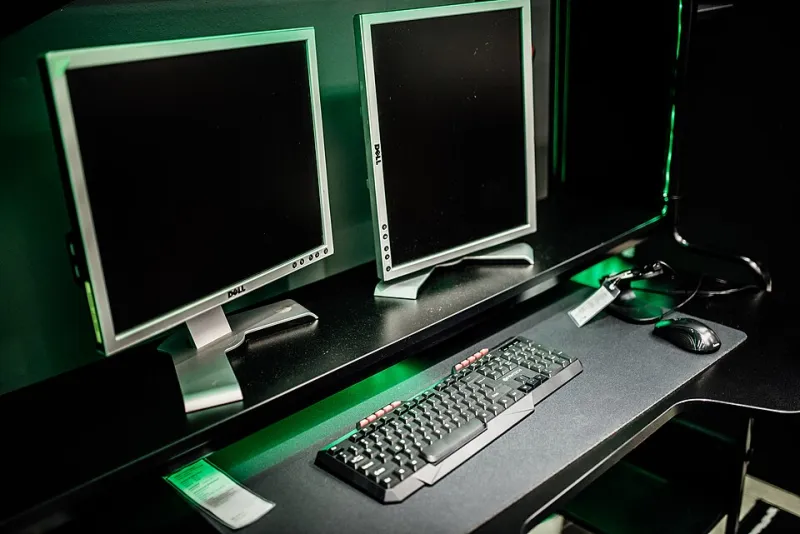
Photo: Shixart1985, CC BY 2.0, via Wikimedia Commons
Walk into any home office in America these days and you'll probably see it: two monitors side by side, maybe three, occasionally a laptop squeezed in like a younger sibling. Multi-monitor setups went from niche gamer flex to standard-issue remote-work gear in less than a decade. And yet, walk up close and you'll spot the tell — a mountain landscape abruptly chopped at the bezel, a sunset restarting from scratch on screen two like it forgot what it was doing.
Wallpapering a multi-monitor setup well is a small art form. Done right, your desk looks intentional, almost cinematic. Done wrong, it looks like two strangers sharing a desk. Here's how to get it right.
Option One: The Panoramic Stretch
The classic move is a single ultra-wide image spanning every display. A desert highway vanishing into the horizon. A city skyline at dusk. When it works, it's genuinely stunning — your entire workspace becomes one continuous scene.
The catch? Most wallpapers aren't built for this. A standard 1920x1080 image stretched across two monitors will pixelate fast, and the focal point almost never lands where you want it. If your monitors aren't the same resolution, forget a clean split entirely — one screen will crop the image differently than the other.
Digital artists who design panoramic wallpapers have a few tricks worth borrowing. Look for images where the horizon line sits level across the whole composition, and where the most interesting detail lives near the center seam — that's the spot your eyes drift to anyway. Landscape photography with strong horizontal symmetry (mountain ranges, coastlines, bridges) hides the bezel far better than busy scenes with lots of vertical detail.
Option Two: Matching Pieces, Not One Picture
Maybe the smarter play for most people: two different images that clearly belong together. Think of it as a diptych — same color palette, same mood, different subjects. A misty pine forest on the left, a foggy lake on the right. Both shot in the same tonal range, neither trying to continue the other.
This approach has real advantages. Each monitor keeps its own focal point, so your icons and windows don't sit on top of the best part of the image. And if one display dies or gets swapped out for a different size someday, you're not stuck re-hunting for a 5120x1440 unicorn.
A quick rule of thumb from the wallpaper community: match the color temperature, not the content. A warm-toned illustration and a warm-toned photograph can sit next to each other happily. A cool blue gradient beside a golden-hour shot will fight all day long.
Option Three: The Deliberate Clash
There's a third camp, and they're not wrong either. Some people treat each screen as its own room — a dark, minimal gradient on the monitor where the actual work happens, and something loud and joyful on the secondary display that only gets glanced at. It's the desktop equivalent of a suit jacket with sneakers: intentional contrast.
This works especially well if your monitors serve different jobs. Main display for spreadsheets and documents? Keep it calm. Side screen for Slack, Spotify, and reference tabs? Let it have some personality.
The Mistakes That Break the Illusion
A few things will wreck a seamless setup faster than anything:
- Ignoring your taskbar. A taskbar spanning both monitors (or sitting on the wrong one) cuts straight through a panoramic image. Most operating systems let you confine it to one display — do that.
- Forgetting the bezel gap. The frame between monitors eats a few pixels of your image. Nudge the image so the split doesn't land on a face or a horizon line.
- Different brightness settings. Two monitors showing the same image at different brightness levels look broken even when the wallpaper is perfect. Spend five minutes matching them.
- Scaling mismatch. If one display runs at 125% zoom and the other at 100%, even a flawless panoramic wallpaper can render slightly off. Align your scaling settings first.
Where to Actually Find Ultra-Wide Wallpapers
The good news is that the creator economy has caught up. Search terms like "dual monitor wallpaper" or "5120x1440" on wallpaper repositories will surface purpose-built panoramas, and many digital artists now sell or give away multi-monitor packs in specific resolutions. If you're handy with an editor, you can also stitch your own from a wide photo you love — just export at your combined resolution and let your system split it.
Your monitors spend eight-plus hours a day together. Introduce them properly, and your whole desk will feel like it was designed on purpose — because now it was.